Configure. Price. Quote. Done.

Powertrak Augmented Reality Product Configurator

The Ultimate Product Placement and Spatial Recognition Experience

Extend the power of visual product configurations to augmented reality with the Powertrak™ AR Product Configurator.

The Powertrak AR app delivers more than a superimposed 3D object overlay experience. It changes how businesses communicate and sell configurable products.

Boost your sales by giving consumers the power to configure, price, save, and quote the design.


Schedule A Demo

Powertrak Augmented Reality Features

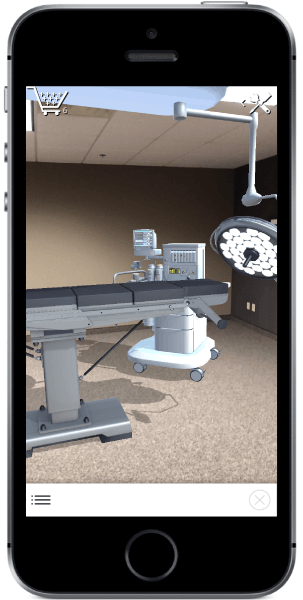
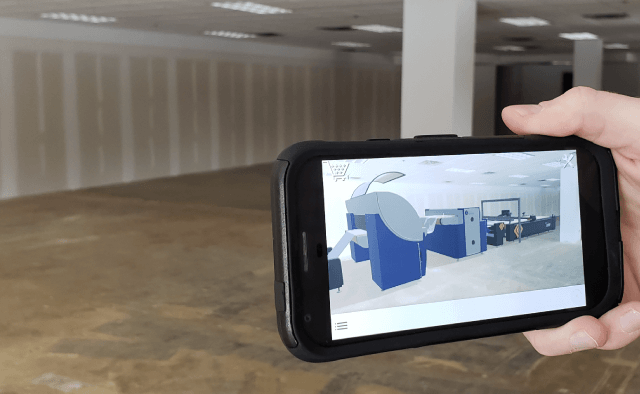
From a mobile smartphone or tablet device, customize products and design spaces by interactively placing and positioning virtual product models into the actual environment. 

Visualize how the product looks and fits before committing to buy. Quickly monitor product pricing with our real-time shopping cart to determine if the budget has been met or exceeded. Save one or many design layouts, send to other decision-makers, and generate a quote.


Visualize and validate product designs and placement in real-world environments.

one-platform
One Platform

3D CPQ Includes AR + VR

The Powertrak suite delivers an end-to-end product configuration, quoting, ordering, and VR/AR validation experience.

fully-interactive
Fully Interactive

Drag-and-Drop Technology

Interactive toolset enables users to 'virtually' see, place and arrange true-to-scale 3D product models in the actual setting.

quoting
Quoting

Real-time Shopping Cart

Prices are calculated live during the AR configuration experience. Users can save the design, assign to a project, and create a quote.

convenience
Convenience

Design on Your Time

Make better, more informed, and faster-buying decisions by experiencing the layout design on your own time - prior to ordering.

Designs created in AR can be accessed and modified in Powertrak 3D CPQ and VR.

intelligence
Intelligence

Unique AR Features

Smart features include placement of objects that mount to the floor or ceiling, and attachment to other objects.

Users have full control over rotation, joints, sliding, and other special abilities.

save-share-designs
Save & Share Designs

Text or Email Designs

Save designs to your device and quickly share via email or text with colleagues and key decision-makers.

ar_iphone

Augmented Reality Configuration on Tablets and Smartphones

Visualize how a new purchase will actually fit and appear in a designated space on your smartphone or tablet.

The headline and subheader tells us what you're offering, and the form header closes the deal. Over here you can explain why your offer is so great it's worth filling out a form for.

  • Download the Powertrak AR app on an iOS or Android smartphone or tablet.
  • Note: Powertrak AR is only available on mobile devices that support either ARCore or ARKit.
  • Open the app and follow the screen prompts to configure the space.
  • Now you're ready to begin adding virtual products to the space.
  • Place products into the desired location - move and rotate if necessary.
  • Visualize and validate the layout design. Send a screenshot to your friends, family or other decision-makers.
  • If the design meets your expectations, quote the project or complete the order.

Schedule a Demo | Receive Pricing

Contact us to experience Powertrak Augmented Reality.

Learn how to drag-and-drop products into a live environment and see your space come to life.

Use Powertrak AR to design data centers, fitness facilities, office, and home living areas, recreation centers, healthcare environments, and more.


ar_printingmachine

Discover What Revalize Can Do For Your Business

© 2026 Revalize, Inc. All Rights Reserved. | Privacy Policy